

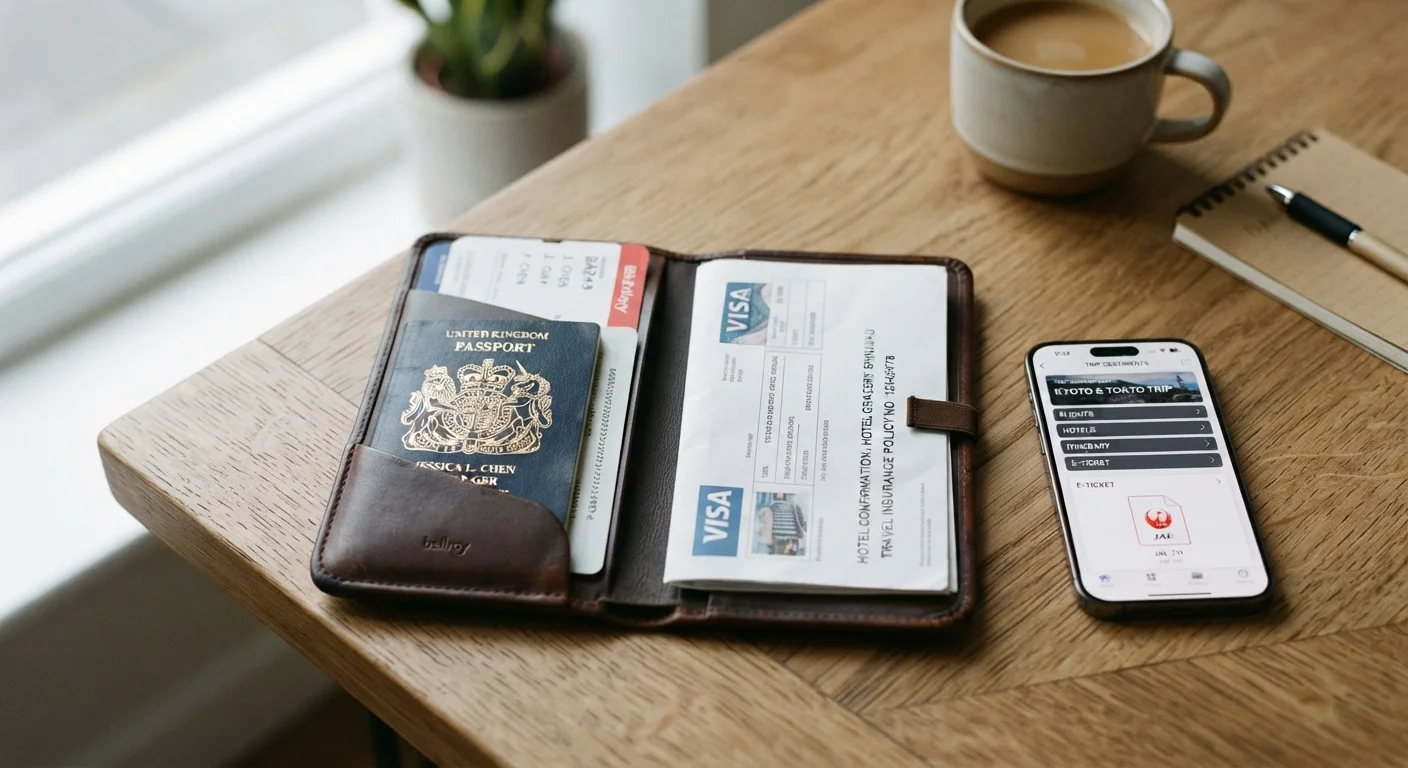
Key Takeaways
- Both digital and physical document backups have genuine advantages — using both together is the most reliable approach.
- Digital copies can be accessed quickly but depend on internet connectivity, charged devices, and password recall.
- Physical copies carry no technology risk but can be lost, stolen, or damaged along with your originals.
- Store digital copies in a secure, password-protected cloud service rather than only on a single device.
- Keep physical backup copies in a separate bag or hotel safe, away from your original documents.
Accessible from any internet-connected device
Cloud-stored copies can be retrieved on a borrowed phone or hotel computer if your own device is lost, providing a critical safety net.
Easy to update and share remotely
If your itinerary changes or you receive new documentation, digital files can be updated instantly without reprinting or repacking.
Compact — no extra weight or bulk
Digital copies add nothing to your luggage, which matters when packing light or managing a mobility-related load limit.
Can include multiple document types
A single folder can hold passport, visa, insurance, vaccination records, and medical summaries — far more than a practical paper set.
Requires a charged device and internet access
In remote areas, during power outages, or after device loss, cloud-stored documents may be temporarily inaccessible when you need them most.
Not universally accepted by officials
Some embassies, consulates, and foreign border officials specifically require paper documentation and will not process digital images on a phone screen.
Physical copies can be lost with originals
Keeping photocopies in the same bag as your passport means a single theft or loss event wipes out both — separation is essential but easily overlooked.
Paper is vulnerable to water and wear
Photocopies can become illegible from moisture, folding damage, or simple age — a laminated or plastic-sleeved copy holds up better on longer trips.
Our Verdict
Neither digital-only nor physical-only backups provide complete peace of mind. A layered approach — encrypted digital copies accessible through the cloud, plus one set of physical photocopies stored separately from originals — covers more scenarios than either option alone. The small effort of preparing both before you leave can save considerable stress if something goes wrong abroad.
Any senior traveler heading overseas, especially those with health documentation needs or itineraries covering multiple countries.
Why Document Backups Matter Before You Leave Home
Losing a passport or critical travel document abroad is one of the most disruptive things that can happen to a traveler. Replacing it typically means visiting an embassy or consulate, filling out forms, and potentially delaying your trip by days. Having a backup — in any form — can speed up that process significantly.
The question most travelers wrestle with is whether to rely on digital copies, physical photocopies, or some combination of both. See our passport and identification reference guide for a broader look at which documents to prioritize before departure.
The honest answer is that each approach fills different gaps. Understanding those gaps helps you build a backup strategy that actually holds up under the stressful, unpredictable conditions of travel.
The Case for Digital Copies
Accessible from any internet-connected device
Cloud-stored copies can be retrieved on a borrowed phone or hotel computer if your own device is lost, providing a critical safety net.
Easy to update and share remotely
If your itinerary changes or you receive new documentation, digital files can be updated instantly without reprinting or repacking.
Compact — no extra weight or bulk
Digital copies add nothing to your luggage, which matters when packing light or managing a mobility-related load limit.
Can include multiple document types
A single folder can hold passport, visa, insurance, vaccination records, and medical summaries — far more than a practical paper set.
Storing scanned copies of your passport, visa, travel insurance card, and other key documents in a secure cloud service — such as a password-protected email account or dedicated document app — offers real advantages.
You can retrieve them from any internet-connected device if your phone is lost or stolen. Many apps allow offline access too, which is helpful in areas with poor connectivity. Emailing copies to a trusted family member at home adds another retrieval layer at no extra cost.
That said, digital access does have meaningful limitations. If your phone battery is dead, you've forgotten a password, or you're somewhere with no Wi-Fi, those files can be temporarily unreachable. Some border officials and foreign consulates also do not accept digital copies as proof of identity — they may specifically require paper.
The Case for Physical Copies
Requires a charged device and internet access
In remote areas, during power outages, or after device loss, cloud-stored documents may be temporarily inaccessible when you need them most.
Not universally accepted by officials
Some embassies, consulates, and foreign border officials specifically require paper documentation and will not process digital images on a phone screen.
Physical copies can be lost with originals
Keeping photocopies in the same bag as your passport means a single theft or loss event wipes out both — separation is essential but easily overlooked.
Paper is vulnerable to water and wear
Photocopies can become illegible from moisture, folding damage, or simple age — a laminated or plastic-sleeved copy holds up better on longer trips.
A simple photocopy of your passport ID page, visa stamps, travel insurance policy, and emergency contacts requires no battery, no password, and no internet connection. Officials in many countries are more comfortable accepting physical documents during an emergency verification process.
Physical copies also work as a quick reference if you need to fill in hotel registration forms or car rental paperwork without handing over your original passport.
The key drawback is physical vulnerability. If you keep photocopies in the same bag as your originals, losing the bag means losing both. Water damage, theft, or simple disorganization can render paper copies useless. They also cannot be updated remotely if your travel plans change.
For seniors carrying health and medical records abroad, our guide to packing medical documentation for international travel explains what to include and how to organize it.
Building a Practical Layered Strategy
A Note on Password Access While Traveling
One commonly overlooked issue is password recall under stress. Before you travel, confirm that you can actually log in to any cloud service where your documents are stored — from a different device if possible. Consider writing down access instructions (not the password itself) and leaving them with a trusted contact at home who can assist remotely if needed. Some seniors find a printed one-page 'digital access guide' helpful for this purpose.
The most reliable approach combines both methods with deliberate separation. Here is a simple pre-trip checklist that works for most senior travelers:
- Scan key documents — passport bio page, visa, travel insurance card, emergency contacts, and any critical medical documentation.
- Store digital copies securely — upload to a password-protected cloud account and email a copy to a trusted contact at home.
- Print one set of photocopies — keep them in a different bag or compartment from your originals, ideally in a hotel safe when not needed.
- Note emergency numbers — write down your embassy's contact number and your travel insurer's 24-hour line on a separate card carried in your wallet.
For additional strategies on keeping documents and valuables safe while you're out and about, see protecting personal belongings and documents as a senior traveler.
More general travel safety tips for seniors can also help you build confident habits before and during your trip.